FT HAM FT8 and FT4 transceiver app for amateur radio on iOS, iPhone and iPad
Developed by EA4IQL
Experience FT8 and FT4 digital modes on your iPhone and iPad with a professional iOS amateur radio application that works without a PC, featuring advanced FT8 and FT4 features, real-time waterfall display, auto sequencing and offline ADIF logging.

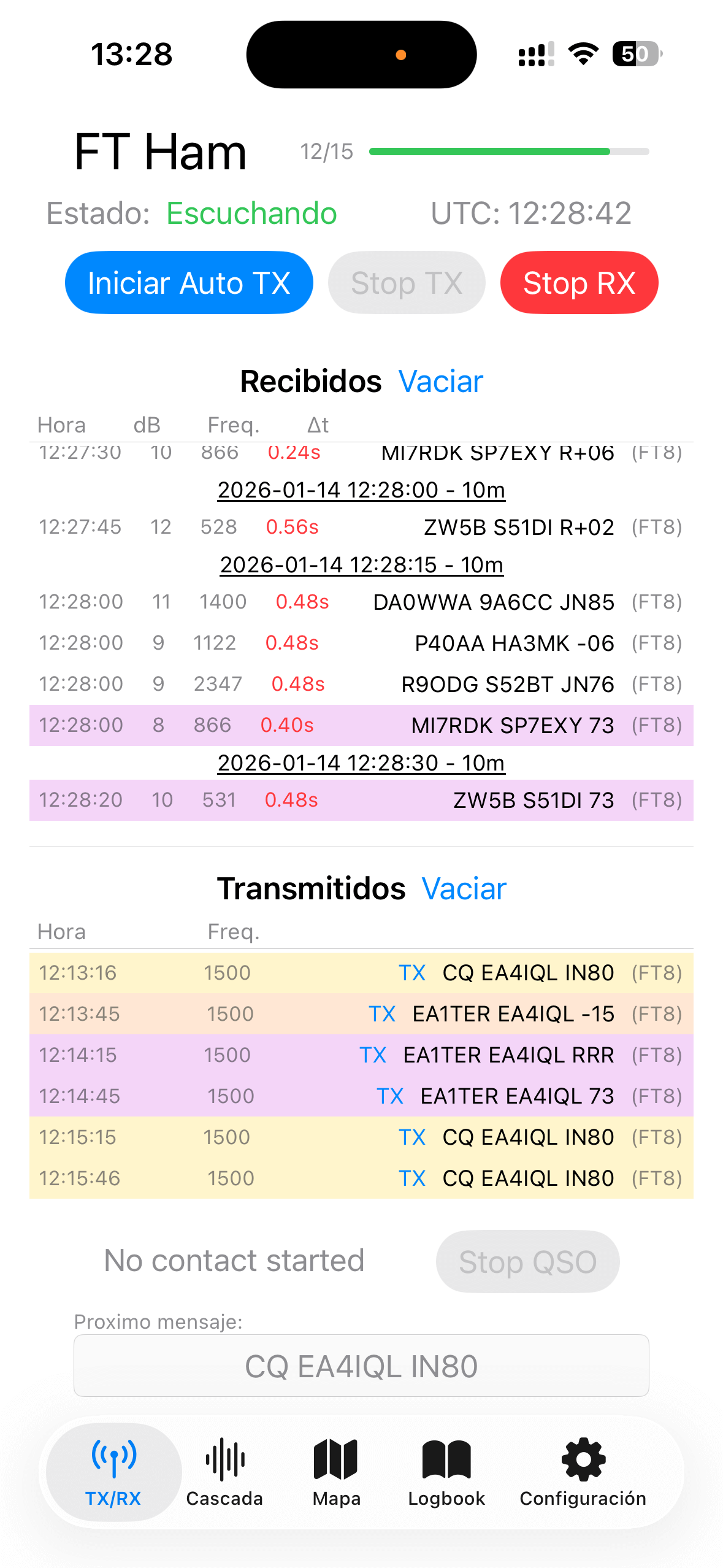
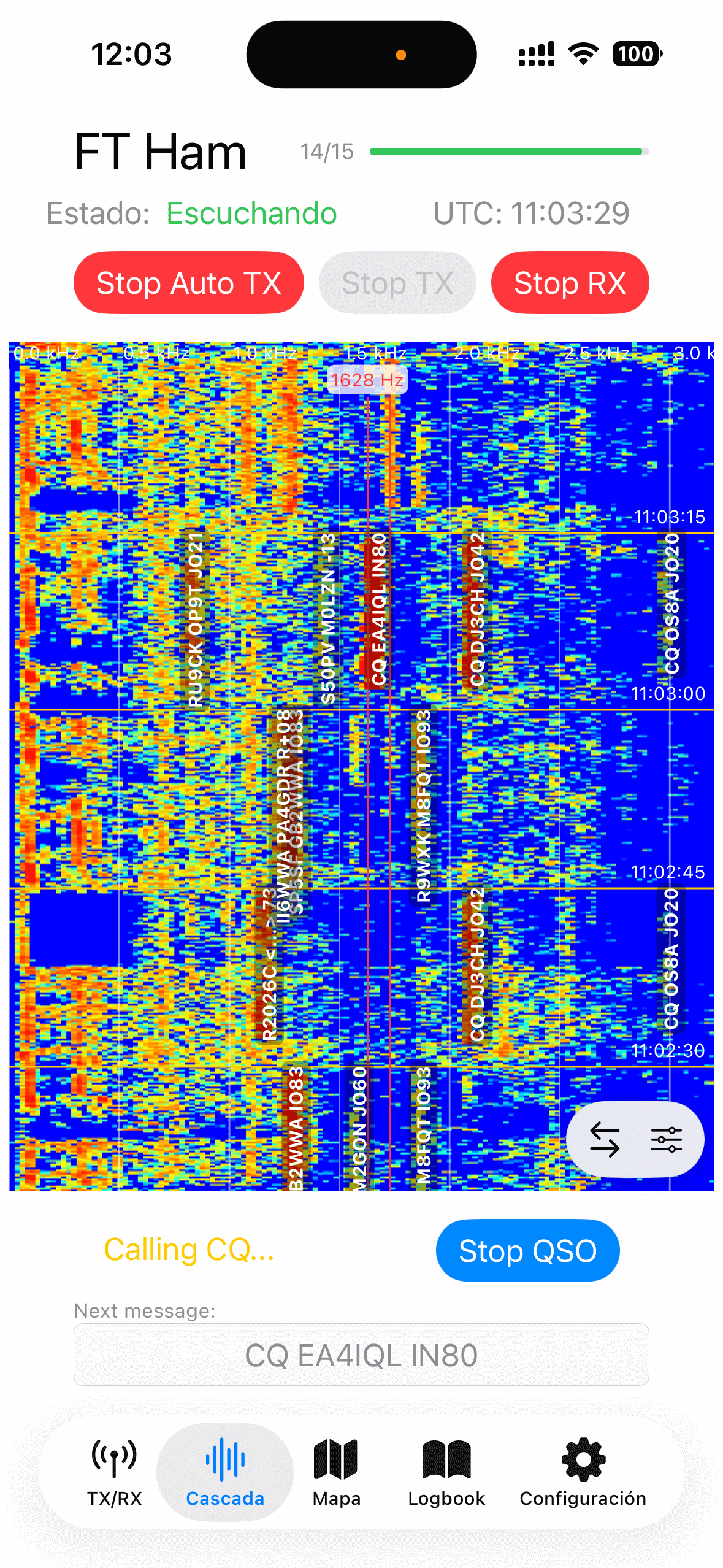
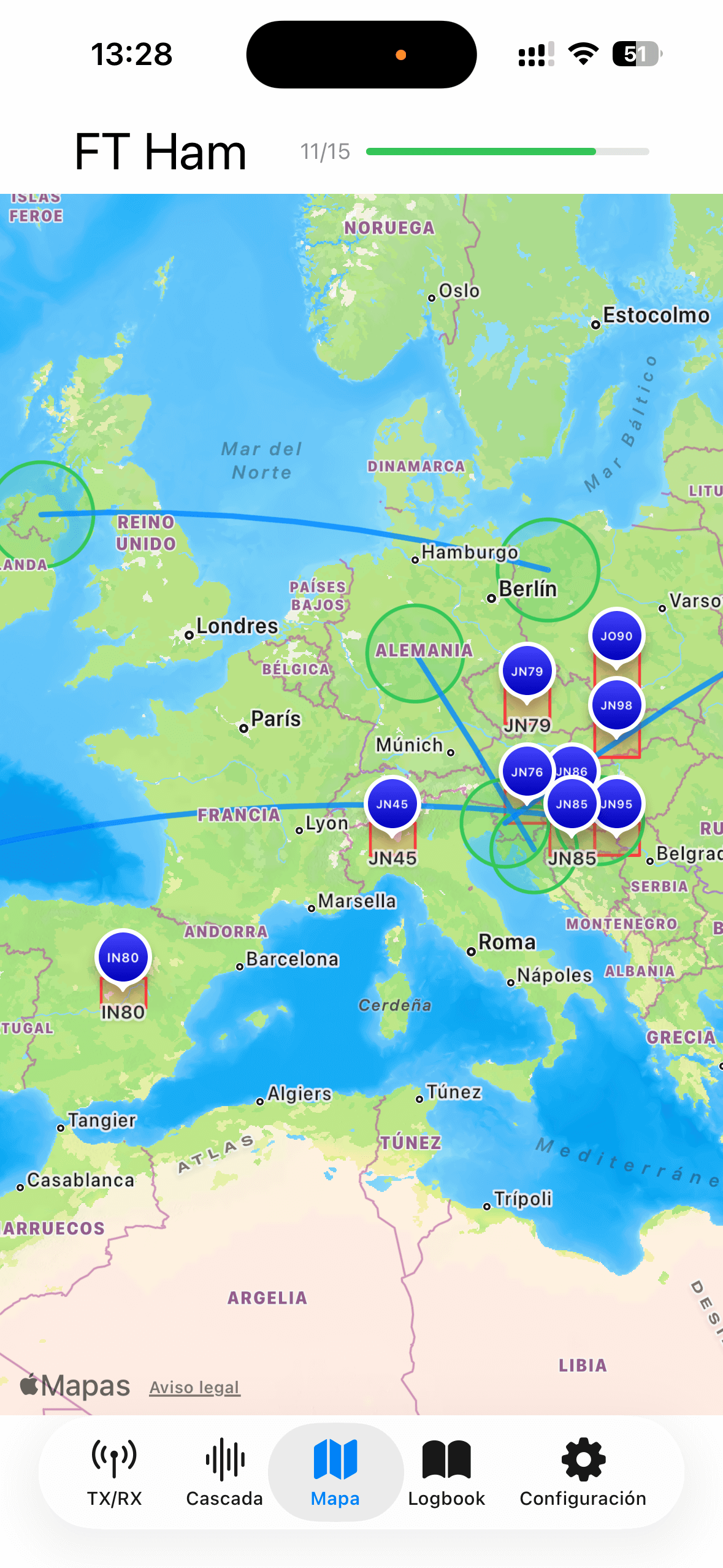
FT HAM Features for FT8 and FT4 on iOS
Built for radio amateurs who demand precision and reliability.
Dual Mode Decode
Decode FT8 (15s) and FT4 (7.5s) signals on iOS with high SNR sensitivity and learn how decoding works using the real-time waterfall.
Auto Sequencer
Let the app handle the full FT8 / FT4 exchange automatically — from CQ detection to 73 — while you stay in control.
Intelligent QSO state machine with automatic CQ detection and reply generation. See the exact QSO state machine →
Live Waterfall
High-resolution FFT spectrogram with UTC alignment and decoded signal labels.
Encode & Transmit
Generate FT8/FT4 audio with slot-aligned timing over speaker or audio interface.
Smart Logbook
Automatic ADIF logging with export for popular logging software.
Slot Sync & Drift
Micro-second UTC precision with automatic clock drift correction.
Privacy First
All signal processing on-device. No internet required.
Native iOS Engine
Built with Swift, C++, and Apple Accelerate for maximum efficiency.
FT HAM does not transmit RF signals directly. Audio output is played via speaker or audio interface. Users are responsible for complying with local amateur radio regulations.
Download FT HAM for iOS
FT HAM is a native iOS application designed for amateur radio operators
who want reliable FT8 and FT4 operation without a PC.
Decode signals in real time, generate precisely timed transmissions,
and manage QSOs with automatic sequencing and offline ADIF logging —
all directly on your iPhone or iPad.
The app is completely free, with no subscriptions, no locked features,
and no personal information tracking.
Getting Started with FT Ham on iOS
From setup to first QSO in minutes. Learn more in the complete FT HAM tutorial.
Setup Identity
Enter your callsign and grid locator in Settings.
Connect Audio
Link your radio's audio output to your device.
Call or Reply
Select a station or call CQ to start.
Auto Log
QSOs are logged automatically to ADIF.
Learn how to use FT HAM for FT8 and FT4 digital amateur radio operation on iOS, including how the internal QSO engine works, supporting development, setup, timing, troubleshooting, and advanced features.
Support FT HAM
FT HAM is an independently developed project, built with a strong focus on
technical accuracy, privacy, and long-term sustainability.
The app is free to use and all features are available to everyone.
If FT HAM is useful to you, supporting the project is a way to help
maintain and improve it over time.
Supporting FT HAM does not unlock features or content. It simply helps keep the project alive and evolving.
Privacy & Legal
Your data and safety matter to us.
🔒 Privacy
FT HAM iOS App does not collect personal data. All settings and QSO logs remain entirely on your device.
FT HAM iOS App: No emails, phone numbers, location data, device identifiers, cookies, or tracking are collected.
FT HAM Website: Anonymous analytics may be used only after explicit user consent, exclusively to understand general website usage. No personal data is collected.
⚖️ Terms of Service
FT HAM is provided "as-is" for personal use. By using the app, you agree to our Terms.
Your responsibilities: Use only for authorized purposes in compliance with amateur radio regulations.
⚠️ Important Disclaimer: FT HAM is provided "as is" without warranties. We do not guarantee uninterrupted service.
RF Safety & Compliance: FT HAM generates audio but does not control RF hardware. You are responsible for:
- Providing appropriate audio interfaces and RF equipment
- Complying with FCC and international regulations
- Ensuring proper RF safety and grounding
- Obtaining necessary licenses